tdx
Your todos, in markdown, done fast.
View on GitHubv0.14.0 release notes · Project sections, JSON output and safer editing
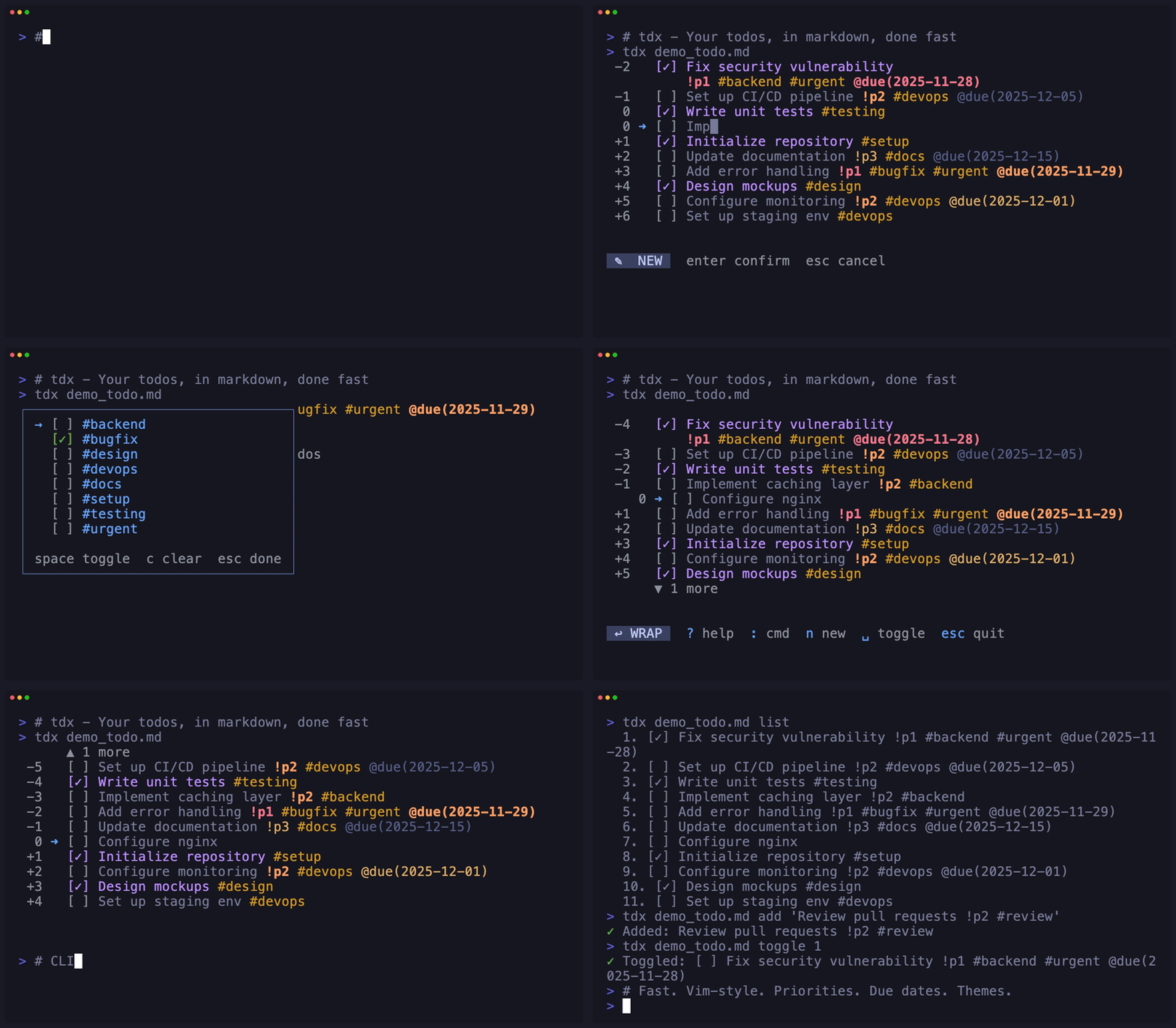
Your projects. Your Markdown.
New in v0.14.0: organize work by heading, connect your editor and scripts, and keep control when files change.
Sections become projects
Press s to browse, focus, fold, rename or create sections—even empty ones. Press S to see everything again.
Useful in your scripts
Query with list --json, filter by status or tag, and choose any filename with --file.
Safer while you type
Cancelled input keeps your undo history. Changes from another editor trigger a conflict instead of silently replacing your work.
Installation
Already installed with Homebrew? Run brew update, then brew upgrade niklas-heer/tap/tdx. The shell installer defaults to ~/.local/bin; add it to your PATH.
Homebrew (macOS/Linux)
brew install niklas-heer/tap/tdx
Quick Install Script
curl -fsSL
                                https://niklas-heer.github.io/tdx/install.sh |
                                bash
Download Binary
Nix
nix run github:niklas-heer/tdx
Fast
Install a native binary and start with a Markdown file. No application runtime to install.
Markdown-native
Todos live in your Markdown. Checkbox-only edits keep surrounding bytes intact; structural edits may normalize formatting.
Vim-style
Navigate with j/k, relative jumps (5j), and number keys.
Interactive TUI
Toggle, edit, delete, undo, move, copy. Fuzzy search, tag filtering, and live updates.
Command Palette
Helix-style : commands with fuzzy search. Sort, filter, check all, and more.
Scriptable
Filtered JSON queries plus list, add, toggle, edit and delete commands for editor integrations and automation.
Cross-platform
Works on macOS, Linux, and Windows.
Smart Sync
Atomic saves guard against partial writes. External edits reload between edits; conflicting saves open a visual diff.
Version History
Automatic snapshots with visual diffs and safe restore
from the TUI using :versions.
Tags
Organize with #tags inline. Filter by tag with multi-select. Color-coded for quick scanning.
Priorities
Mark todos with !p1, !p2, !p3. Sort and filter by priority. Color-coded display.
Due Dates
Add @due(YYYY-MM-DD) to todos. Sort and filter by date. Color-coded by urgency.
Customizable
13 built-in themes (including all Catppuccin variants), custom themes support, live theme picker, per-file settings.
Global Config
Set defaults in ~/.config/tdx/config.toml.
Configure default file, theme, and behavior.
Recent Files
Jump to recently opened files with cursor position
restoration. Use tdx last for quick access.
Nested Tasks
Organize todos hierarchically with Tab/Shift+Tab. Subtasks indent under parents automatically.
Advanced: Checklists & Per-File Config
Use YAML frontmatter for per-file settings. Perfect for reusable checklists, read-only templates, and organized project workflows.
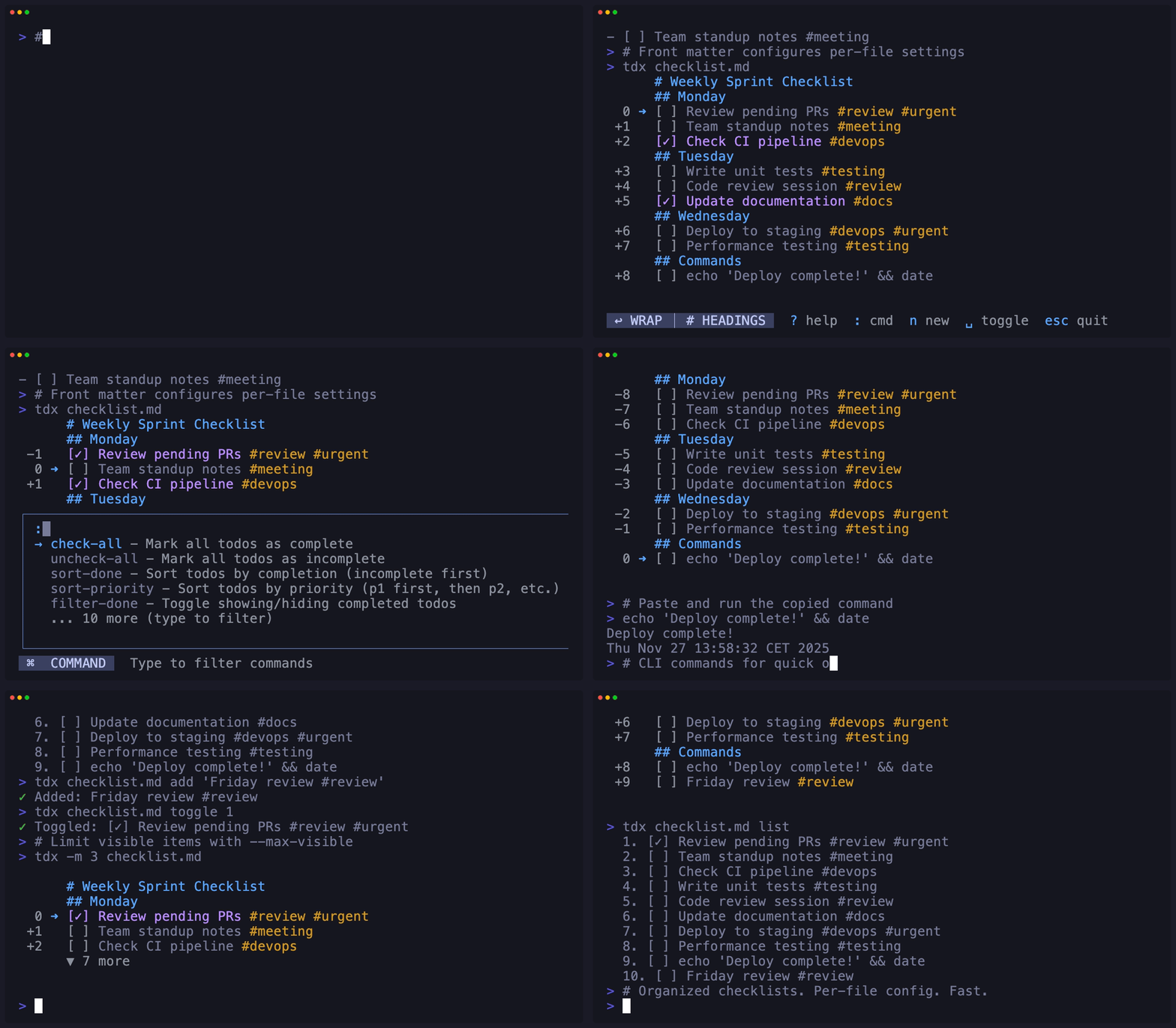
Frontmatter Config
Set show-headings,
filter-done, read-only,
and max-visible per file.
Batch Operations
:check-all and
:uncheck-all for quick checklist
resets.
Read-Only Mode
Use -r flag or frontmatter for
checklists you can edit in memory. Use :save
to save deliberately; CLI mutations are rejected.
Keyboard Shortcuts
Command Palette
Press : to open the command palette with fuzzy search.
Fits your developer workflow
Get open backend tasks without launching the TUI. JSON includes task indexes, nesting, tags, priorities and due dates.
tdx --file TASKS list --json --status open --tag backendIndexes are file positions, so re-query after inserting, deleting or moving tasks. See the JSON contract and examples.
Reproducible setup
Contributors use mise run setup and mise run check for pinned tools and local validation. Development guide.
Tested through sustained use
36,000 actions passed a 100-hour simulated workload, with separate executable and terminal tests. This measures accelerated actions, not wall-clock endurance. Read the results and limits.